
enRoute Delivery Route Planner
AstralerMaps & Navigation
4.328.00 Reviews
- Version
- 2.0.1
- Installs
- 10.00K
- Age Rating
- Everyone
Screenshots
Our Review of enRoute Delivery Route Planner
 Analysis by Appyee
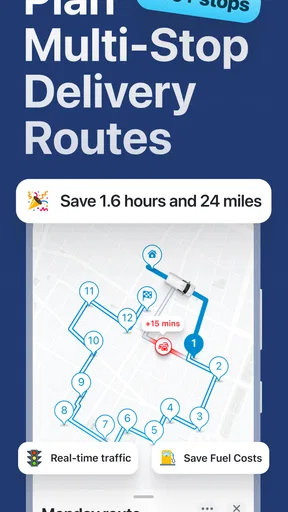
I tried enRoute Delivery Route Planner as the kind of navigation app you open with a practical problem: several stops, limited time, and no desire to keep rearranging them by hand. It is a free Maps & Navigation app from Astraler, designed around delivery route planning rather than ordinary point-to-point travel. That distinction becomes clear quickly. The useful question is not simply “Can it get me there?” but “Can it help me organize the whole run before I start driving?”
My first impression was positive because the app has a clear job. Its focus on building a fast delivery route makes more sense for couriers, small businesses, service workers, and anyone handling repeated stops than for a person planning an occasional weekend trip. I also like that the entry cost is low: you can try the core experience without paying upfront, while optional purchases range from $3.99 to $29.99 per item. That makes testing the workflow relatively easy, although frequent users should pay attention to which functions sit behind those purchases before making it part of a daily routine.
From a promising first week to a useful daily habit
I’d use the first week to test enRoute against the routine I actually have, rather than judging it by a tidy sample route. A useful next step is to note which parts of planning feel easier and which still require work, especially when timing, access, or fatigue changes the day. That makes it clearer whether the app can become a daily habit.
Why the first sessions feel worthwhile
The strongest part of the first week is the change in mindset. Instead of treating every destination as a separate navigation task, I can think about the entire delivery run as one piece of work. That is a meaningful improvement when a route has enough stops to make manual planning irritating, but is still manageable enough that I want a lightweight mobile tool rather than a full business logistics platform.
The app’s appeal is especially easy to understand in a realistic everyday scenario. Imagine starting a morning with parcels for several neighborhoods, a return visit to a supplier, and one customer who can only receive an order later in the day. I would use enRoute to assemble the run before leaving, inspect the sequence, and then follow the route instead of making repeated decisions at the curb. The benefit is not just a shorter line on a map. It is fewer moments spent switching between notes, addresses, and separate navigation searches.
That preparation step is where I see the most practical value. A route planner can save mental energy even when the final distance is not dramatically different from a route I would create myself. Knowing that the stops have been considered together gives the driver a more stable plan. For a busy day, that can be more important than shaving a small amount of time from one individual leg.
Navigation apps that are built mainly for personal travel usually excel at finding a route between a starting point and a destination. They are excellent when I am going to one place, or when I want live guidance through unfamiliar streets. enRoute is more interesting when the problem starts with a list of destinations. It sits between ordinary GPS navigation and a larger delivery-management system, offering a focused planning layer without asking me to adopt a complicated office workflow.
The small workflow choices that matter
One useful habit is to plan before the engine starts rather than adding stops while driving. I would gather the day’s addresses, check for obvious mistakes, and make sure the order reflects real-world constraints before beginning navigation. This sounds basic, but it is an important distinction: route optimization cannot fix a wrong address or a customer who is unavailable at the planned time.
A second useful approach is to treat the suggested order as a starting point, not an unquestionable command. Delivery work often includes details a map cannot understand, such as a loading entrance, a building with difficult parking, a promised time window, or a stop that must happen before another. I would let the app reduce the mechanical planning, then adjust my decisions around those human details. That balance prevents the common mistake of following the mathematically neatest route when it is awkward in practice.
I also found that the app makes more sense when I separate planning from navigation. First I decide what the day needs to accomplish; then I use the route as guidance. This helps avoid a frustrating cycle in which every new stop forces me to rethink the whole run. For occasional users, that separation may be the difference between opening the app once and actually adopting it.
Who benefits most during the trial period
enRoute is a natural fit for independent couriers, local retailers doing their own deliveries, mobile repair workers, cleaners, caterers, and salespeople visiting several clients. It can also help a household organizing a long errand list, although that is a less specialized use. The common thread is repeated movement between multiple destinations, not simply the need for a map.
It is less compelling for someone who normally makes one or two stops and already uses a familiar navigation service. In that situation, the extra planning step may feel like work rather than relief. I would also hesitate to recommend it as the only tool for a large delivery operation that needs dispatching, customer notifications, detailed fleet oversight, or formal proof-of-delivery processes. The app’s focused route-planning identity is a strength for individuals, but it should not be mistaken for a complete logistics suite.
The app is marked for Everyone, which makes its audience broad from an age-rating perspective. In practical terms, though, the best audience is defined by responsibility rather than age: people who regularly need to coordinate stops and want a mobile-first way to prepare their route.
What remains useful after the novelty fades
The first-week excitement of seeing a route organized on a screen is not enough to justify keeping any app installed. The lasting question is whether I would still open it on an ordinary, tiring workday. In my view, the answer depends on how often I handle multi-stop trips. If that happens several times a week, the planning habit can become genuinely valuable. If it happens once every few months, a standard navigation app and a simple note may remain more convenient.
The recurring value comes from reducing repeated decisions. I do not need to remember the best order from the previous week, and I do not have to reconstruct a route from scattered addresses each morning. Even without treating the app as an advanced business system, that consistency can make a routine feel calmer. The app earns its place when route planning is a repeated chore rather than an occasional puzzle.
Its current version is 2.0.1, and that matters mainly because regular users should keep an eye on how the experience develops. A route planner lives or dies by everyday reliability: entering destinations must remain straightforward, the route must be easy to understand, and navigation should not become a separate source of friction. I would keep the app updated and periodically review my workflow instead of assuming that installing it once solves every planning problem forever.
The maintenance burden is modest, but real
There is no completely maintenance-free route-planning habit. I would still need to keep addresses accurate, remove completed stops, and check the plan when the day changes. A delivery app can organize the information I give it, but it cannot know that a customer moved, a shop changed its entrance, or a promised appointment was rescheduled unless I account for that myself.
This is one of the app’s less obvious trade-offs. The more carefully I prepare the stop list, the more useful the result becomes, but careful preparation takes time. For a short route, manually arranging destinations may be faster than opening a dedicated planner. For a longer route, the preparation usually pays off because it prevents repeated searching and rearranging later. The tipping point will vary by user, so I would test enRoute on a normal workday rather than judging it only with an easy sample trip.
There is also a financial maintenance question. The app is free to start, but in-app purchases are available, so a regular user should decide whether the unpaid experience is sufficient before building a business routine around it. I would avoid paying simply because the app looks promising in the first session. Instead, I would use it across several real routes, identify the exact limitation that affects me, and then decide whether an optional purchase solves that limitation well enough to justify the cost.
That approach is particularly important for freelancers and small operators, where a small recurring expense can be worthwhile only if it replaces a larger amount of wasted time. I would judge the purchase by the number of planning headaches it removes, not by the presence of extra controls alone.
Where fatigue can appear over time
The biggest source of fatigue is likely to be the gap between an optimized route and a workable route. A map can arrange destinations efficiently, but drivers deal with parking, loading, access restrictions, building layouts, traffic behavior, and customer availability. If the suggested sequence repeatedly needs manual correction, I may start feeling that the app is giving me another list to manage instead of removing work.
Another possible frustration is context switching. If I use one tool for addresses, another for customer notes, and enRoute for the route itself, the planning process can still become fragmented. The app is most comfortable when I can bring a clean, usable set of destinations into the planning stage. It is less comfortable when the real task is managing a large amount of operational information around those destinations.
Drivers should also avoid treating any route planner as a substitute for attention. I would review the route while parked, follow road signs, and make changes safely rather than interacting with the phone in motion. The app can support decisions, but it cannot account for every temporary road condition or the practical demands of a busy delivery stop.
For people who already have a highly refined system using a familiar navigation app, spreadsheet, or paper route sheet, enRoute may not immediately feel better. Switching has a cost. I would only make the change if the current method is causing repeated delays, missed stops, or unnecessary mental effort. On the other hand, beginners may appreciate having a dedicated place to think through a multi-stop journey instead of improvising from one destination to the next.
How it compares with familiar alternatives
Compared with ordinary GPS navigation, enRoute is more useful before the trip begins. Standard navigation tools are often better when I need live, turn-by-turn help for a single destination or when I want the broadest familiarity with everyday driving. I would still keep a conventional navigation option available for situations where live traffic context, local road knowledge, or a familiar interface matters more than route preparation.
Compared with a handwritten list, enRoute offers a more structured way to think about the order of stops. A note is wonderfully quick, and for three simple errands it may be the better choice. But once the list grows or the destinations spread across several areas, a dedicated planner becomes easier to justify. The trade-off is that the app requires a little setup, while paper requires more manual thinking during the trip.
Compared with specialized fleet software, enRoute is likely to feel lighter and more approachable for one person or a small operation. That simplicity is attractive when I do not need dispatch tools or organizational layers. It is also the reason I would not choose it as the sole system for a company with complex coordination needs. The right comparison is not “Which app has the most features?” but “How much operational structure do I actually need?”
Questions I would settle before relying on it
A new user will reasonably wonder whether the app is worth trying if they only make a few deliveries. My answer is yes, but only as a short practical test. Use a route that resembles a normal day, not an idealized demonstration. If planning the stops feels faster and clearer than your current method, the app has earned further attention. If the setup takes longer than the route itself, it is probably not the right fit for your pattern of travel.
Another important question is whether it replaces a normal navigation app. I would not think of it as a complete replacement in every situation. Its main value is organizing a multi-stop trip; a conventional navigation service may still be preferable for single-destination journeys or situations where live driving information is the priority. Using both roles sensibly may be more practical than forcing one app to do everything.
Users may also ask whether the free version is enough for regular work. I would start free, run several genuine routes, and note exactly where the experience stops meeting my needs. Since optional purchases are available, that test gives a better basis for deciding than assuming every user needs an upgrade. The right choice will depend on how frequently I plan routes and whether the added convenience offsets the expense.
Finally, I would ask whether the app suits a professional delivery business. For a solo driver or small local service, it can be a sensible planning companion. For a larger team, I would look carefully at the surrounding workflow before committing. A route planner can solve stop order while leaving other business tasks untouched, so the app should be judged as one part of the operation rather than the entire operation.
The long-term verdict
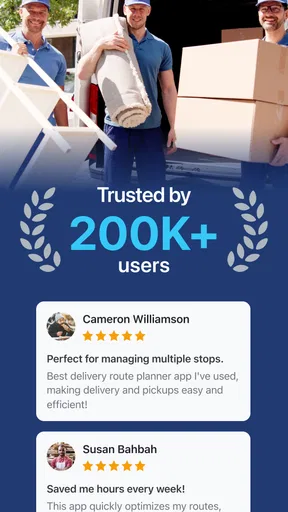
With an average rating of 4.3 from around 347 ratings and more than 10K installs, enRoute has attracted a meaningful early audience without feeling like a tool aimed at everyone. Those figures suggest a focused app with room to prove itself through repeated use, and my own judgment is similarly conditional: it is most convincing when multi-stop planning is a recurring responsibility.
I like the app because its purpose is easy to understand and its usefulness can be felt in a normal workday. It encourages me to plan before driving, reduces the need to improvise between stops, and gives a solo operator a more deliberate way to organize deliveries. The strongest non-obvious benefit is not simply route speed; it is the reduction of small decisions that accumulate across a busy day.
Still, I would not install it and expect permanent value automatically. The route must be checked against real-world constraints, destination information must stay clean, and the optional purchase model deserves a practical trial before becoming part of a paid workflow. Users with simple trips may find the planning step unnecessary, while larger delivery teams may need tools beyond this app’s focused role.
For me, enRoute Delivery Route Planner earns lasting space when I am repeatedly handling several destinations and want a calmer, more organized start to the day. It is not a magic answer to every delivery problem, but it can become a dependable planning habit for the right user. I would recommend trying it on a genuine multi-stop route, keeping expectations realistic, and deciding after the novelty has passed whether it saves enough effort to remain part of the routine.
Verdict
Strengths of enRoute Delivery Route Planner
- Optimizes multi-stop routes to reduce unnecessary driving time.
- Supports delivery planning for several stops in one trip.
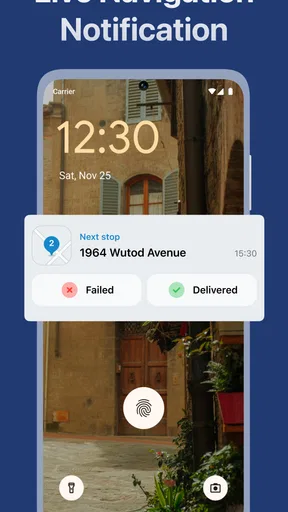
- Clear maps make turn-by-turn navigation easier to follow.
- Useful for couriers, field workers, and small delivery teams.
- Helps organize stops more efficiently than planning them manually.
Limitations of enRoute Delivery Route Planner
- Advanced route features may require a paid subscription.
- Optimization quality depends on accurate addresses and stop details.
- Large delivery lists can take time to review and adjust.
- Some features may require a stable mobile data connection.
- Not ideal for users who only need occasional single-destination trips.
Other Releases by Astraler
View All
DMV Permit Practice Test 2026
Education4.7

Smart Printer: Mobile Print
Tools4.2

LandMap: Property Line Finder
Maps & Navigation3.8
Similar Picks in This Category
View All
Uber - Request a ride
Uber Technologies, Inc.4.7


inDrive. Rides with fair fares
® SUOL INNOVATIONS LTD4.8

Yandex Go: Taxi Food Delivery
Mikromobilnost LLC Belgrade4.8

Bolt: Request a Ride
Bolt Technology4.8

Rapido: Bike-Taxi, Auto & Cabs
Rapido Bike Taxi4.8
Frequently Asked Questions
What is enRoute Delivery Route Planner used for?
enRoute Delivery Route Planner is designed to help delivery drivers, couriers, and small businesses organize multiple stops into a more efficient route. After adding delivery addresses, the app can arrange them in a practical order, helping reduce unnecessary driving, save time, and make daily delivery work easier to manage. It is especially useful when handling several destinations in one trip.
Can enRoute optimize a route with multiple delivery stops?
Yes, the app is built around planning routes with multiple destinations. You can enter or import stops and use route optimization to determine a more efficient visiting order. The final result may depend on address accuracy, traffic, road restrictions, and the selected settings, so drivers should still review the suggested route before starting and make adjustments when local conditions require them.
Does enRoute provide turn-by-turn navigation?
enRoute primarily focuses on organizing and optimizing delivery stops rather than replacing every feature of a dedicated navigation service. Depending on the device and app version, it may work alongside a preferred navigation application for driving directions. Users should check how route handoff works on their phone and confirm that their favorite navigation app is installed and available before beginning a delivery route.
Is enRoute suitable for professional delivery drivers and businesses?
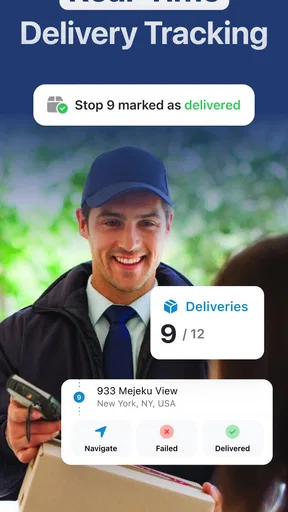
The app can be useful for independent couriers, local delivery companies, service technicians, and businesses that need to visit several addresses during the day. It may help improve route organization and reduce manual planning. However, companies with large fleets, advanced dispatching needs, live driver monitoring, proof-of-delivery tools, or complex customer management should compare its features with specialized fleet-management platforms.
What should I check before downloading and using enRoute?
Before downloading enRoute, check whether your phone meets the current Android or iOS requirements and review the app’s latest store listing for pricing, subscriptions, permissions, and supported features. You should also verify how addresses are entered, whether route limits apply, and whether an internet connection is needed. Accurate address data and location permissions may be important for reliable route planning.
